

Last Updated: November 15, 2026
Quick Summary
To calculate your commute time from Dalzell to Shaw AFB, enter your full Dalzell street address and your specific gate or building on base into a mapping tool, set your real departure time, and add a separate gate-to-building leg. This two-leg method gives a more accurate commute time than a one-shot estimate.
- Type your full Dalzell street address with ZIP code, not just the town name.
- Run a separate route from your chosen gate to your duty building and add both times.
- Set the tool to your actual departure time so it models rush hour traffic.
- At 250 workdays, every extra one-way mile adds 500 miles to your annual total.
- Drive the route yourself at your real departure time before committing to a lease.
Table of Contents
- What You’ll Need Before You Calculate Your Commute
- Step 1: Enter Your Dalzell Starting Point and Shaw AFB Destination
- Step 2: Select Driving as Your Travel Mode and Set a Departure Time
- Step 3: Read the Estimated Time, Distance, and Route Options
- The Average Commute Time to Shaw AFB and What Changes It
- Traffic Patterns Near Shaw AFB Gates and How to Time Your Drive
- Commute Time Calculator Tools Worth Using
- Verify Your Estimate Before You Commit to a Dalzell Address
- Frequently Asked Questions
What You’ll Need Before You Calculate Your Commute
You can get a solid commute time estimate from Dalzell to Shaw AFB in about five minutes with a phone and a street address, but quality depends on what you feed the tool.
Here is what to gather first:
- Your exact Dalzell starting address. Not “Dalzell” alone. A street address or at least a cross street.
- Your Shaw AFB destination. Your duty station building, the gate you’ll use, or a specific on-base address.
- Your report time. The clock time you must be at your desk, not the time you leave the house.
Typing only the town name drops a pin in the middle of Dalzell, which may sit a mile or two from your driveway. That error compounds over 250 workdays a year.
Step 1: Enter Your Dalzell Starting Point and Shaw AFB Destination
Start by opening your preferred mapping tool and entering both addresses in the two fields. Put your Dalzell street address in the starting point box and your Shaw AFB building or gate in the destination box.
Be specific on both ends. On the Dalzell side, use the full street address with ZIP code.
So instead, enter one of these:
- The street address of your duty section building
- A named gate, such as the main access point you expect to use
- A landmark inside the base that sits near your workplace
Check that the map pin landed where you expect. Zoom in, and correct it before you read any time estimate.
Step 2: Select Driving as Your Travel Mode and Set a Departure Time
Choose the driving icon, not walking or transit. Around Dalzell and Shaw AFB, driving is the only realistic travel mode for a daily commute.
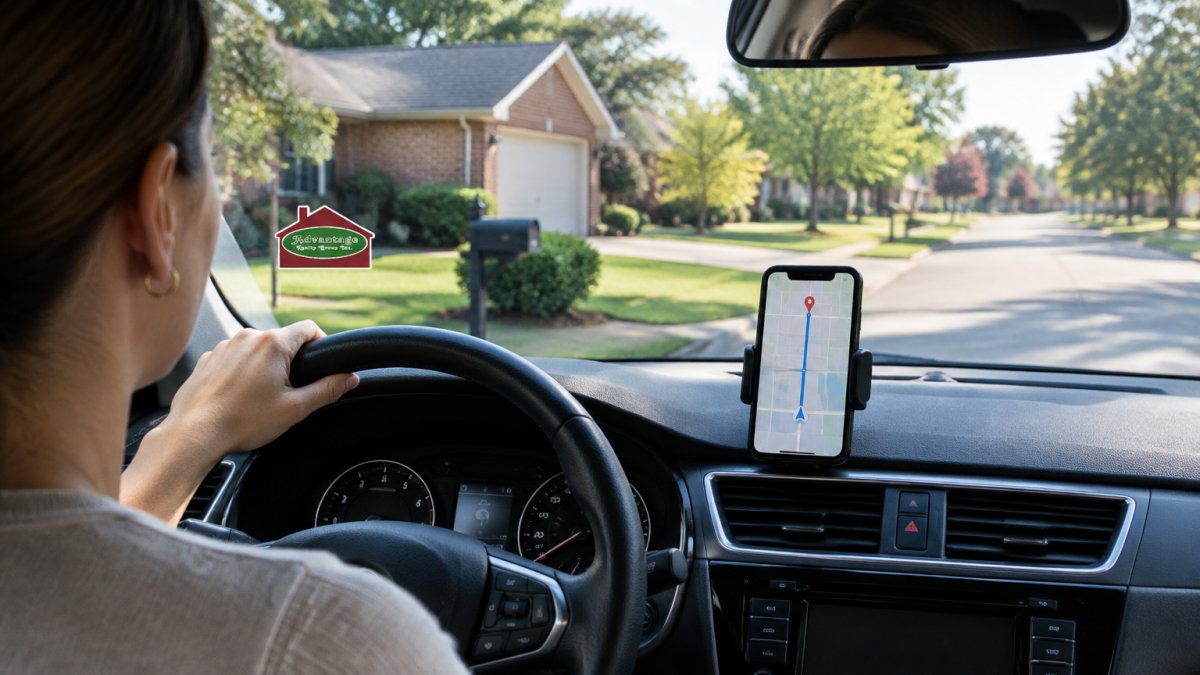
Default estimates reflect current or average conditions, but your commute happens at a specific hour.
Then run the same search for a few different departure times:
- Your normal leave time
- Fifteen minutes earlier
- Fifteen minutes later
The spread between those three numbers tells you how sensitive your route is to timing. If leaving ten minutes earlier saves you eight minutes of drive time, that is a trade worth knowing about before you sign a lease.
Step 3: Read the Estimated Time, Distance, and Route Options
The results panel gives you three things worth reading closely: estimated time, driving distance, and route options. Read them in that order, but do not stop at the headline number.
Estimated time is the headline figure. Treat it as a range, not a promise, the same route can read differently at 6:40 a.m. and 7:10 a.m.
Driving distance matters for fuel and vehicle costs. Note the one-way miles, double it for the round trip, and multiply by your workdays per year.
Route options are where the real decision lives. Most tools offer two or three alternatives. Compare them on:
- Total drive time
- Highway versus back-road mix
- Number of turns and traffic lights
A route that is two minutes longer on paper but avoids a congested gate can win in practice. Read the turn-by-turn preview and check which gate the route uses.
How to reproduce a Dalzell-to-Shaw AFB estimate yourself
Generic calculators stop at “enter two addresses.” Here is a transparent method for this specific commute that you can repeat and audit.
- Pin the origin precisely. Use your full Dalzell street address with ZIP code. If you only have a cross street, use the nearest intersection and note the estimate will be approximate.
- Pin the destination at the gate, then add the on-base leg. Enter the named gate as the destination, run the route, then run a second route from that gate to your duty building and add the two times. This two-leg method is the biggest improvement over a one-shot estimate, because most tools route to a base centroid rather than your building.
- Set the departure time to your real leave time. If your report time is 7:30 a.m. and the gate-to-building leg takes about five minutes, set departure for roughly 7:00 a.m. to leave buffer for the gate line.
- Record three numbers. One-way drive time to the gate, gate-to-building time, and total one-way time, with the date and departure time.
- Convert to a weekly and annual figure. Multiply the round-trip time by your workdays per week, then by 50 weeks, to see the annual hours committed to the drive.
A worked example with stated assumptions
Because exact times depend on your address and gate, treat the following as an illustration of the method rather than a quoted estimate.
- Leg 1, Dalzell to gate: roughly 15 to 20 minutes under normal conditions.
- Leg 2, gate to building: roughly 3 to 8 minutes depending on where your building sits.
- Total one-way: roughly 18 to 28 minutes.
That annual figure is the number worth comparing across candidate homes. A ten-minute difference in round-trip time is about 42 hours a year at 250 workdays.
Estimate limitations to state out loud
Every map estimate carries assumptions. Name them before you rely on the number:
- The tool assumes you leave at the exact time you set, not five minutes later.
- It models typical traffic for that window, not a specific crash, closure, or gate incident.
- It usually does not model gate queue time, ID checks, or the final on-base drive unless you build those legs in yourself.
One more habit: screenshot the results with the date and departure time so you can compare homes side by side later rather than from memory.
The Average Commute Time to Shaw AFB and What Changes It
Commute time from Dalzell to Shaw AFB depends on your exact address, the gate you use, and the time of day you drive. For a broader look at how Sumter and Columbia compare for Shaw AFB living, see this Sumter vs Columbia comparison.
The variables are what move the number:
- Your gate choice. Different access points serve different parts of the installation.
- Your on-base destination. Shaw AFB is a large installation, and the final drive from gate to building can add several minutes.
- Departure time. Peak arrival windows around shift changes run slower.
Here is the part most guides miss: the gate-to-building leg is often the least predictable segment. A generic calculator stops at the gate. Your actual commute does not.
If you want to compare how different off-base locations change the picture, the Shaw AFB relocation guide walks through commute planning and home search timing for a PCS move.
Traffic Patterns Near Shaw AFB Gates and How to Time Your Drive
Traffic near base gates often rises around the duty day. Confirm your unit’s report time and gate hours rather than assuming a base-wide pattern.
Plan around three patterns:
- Morning inbound peak. Arrive at the gate earlier than feels necessary during the first week. A gate queue can add several minutes no map app shows.
- Midday lulls. Errands and appointments between peak windows move quickly.
- Evening outbound peak. Leaving right at the end of the duty day means waiting. A short delay before you leave can cut your line time.
Day of week matters too.
Gate selection changes the calculation
Different access points serve different parts of the installation, and the gate you choose can matter more than the route you take to get there. Two habits make this concrete:
- Confirm gate hours and access rules. Some gates have restricted hours or specific lanes for different traffic types. A route that depends on a gate with limited hours is not a reliable daily route.
- Build the gate-to-building leg into every estimate. Run a separate route from your chosen gate to your duty building and add it to the off-base time. This is the leg generic calculators omit, and it is often the least predictable segment of the commute.
A route that is two minutes longer on paper but approaches a less congested gate can win in practice. Test both gates at your real departure time before you commit.
How departure time moves the number
Run the same search for a few different departure times and record the spread:
- Your normal leave time
- Fifteen minutes earlier
- Fifteen minutes later
The spread tells you how sensitive your route is to timing. If leaving ten minutes earlier saves eight minutes of drive time, that is a trade worth knowing before you sign a lease. If the spread is flat, your route is not traffic-sensitive and you can plan around the gate line instead.
Verify with live navigation before you rely on it
A calculator estimate is a planning tool; live navigation is a verification tool.
The practical move is to test your route before you commit. Drive it at your real departure time on a real workday. Time it with a stopwatch.
If you’re weighing which side of the base to live on, comparing Sumter communities and their typical daily drives gives you a clearer picture than any single address estimate.
Commute Time Calculator Tools Worth Using
Several commute time calculator tools do the job, and each fits a slightly different need. The table below summarizes what each one is best at.
| Tool | Best For | Key Strength | Watch Out For |
|---|---|---|---|
| Google Maps | Everyday route checks | Departure-time traffic modeling | Stops at the gate |
| Apple Maps | iPhone users | Clean route alternatives | Fewer traffic detail options |
| Waze | Live conditions | Real-time driver reports | Less useful for future planning |
| Your car’s navigation | No-signal areas | Works offline | Weaker traffic forecasting |
| A spreadsheet | Long-term budgeting | Turns miles into fuel cost | Manual entry required |
For most Dalzell households, Google Maps handles the core calculation well.
Live-traffic apps can show reported slowdowns in real time, which may help on a day you are running late.
The spreadsheet is the underrated one.
Verify Your Estimate Before You Commit to a Dalzell Address
A calculator estimate is a starting point, not a closing argument.
First, drive the route yourself at your real departure time on a normal workday, not a Sunday.
Second, check the gate situation.
Third, run the estimate for your worst-case day. Rain, a Monday after a holiday, a school morning.
For military families weighing a Dalzell address against other options, the guide to buying near Shaw Air Force Base covers what a PCS timeline looks like on the purchase side. And when you’re ready to move from research to a home search, you can download the free Sumter and Shaw AFB relocation guide to start planning.
Contact Mike Today to discuss a home search plan that fits your report date.
Frequently Asked Questions
What is the average drive time from Dalzell to Shaw AFB?
Drive time from Dalzell to Shaw AFB depends on your address and the gate you use. Check the estimate for your specific address and gate, and allow extra time during the morning rush near the gate. Confirm the number with a live navigation app on the day you drive it.
Does traffic significantly impact the commute to Shaw AFB?
Gate processing can slow the line during the morning reporting window, so leaving a little earlier may reduce your wait.
How do I account for gate traffic when calculating my commute time?
Run your calculator to the specific gate you will use, not just the base name. Then add a buffer based on the time of day: 5 to 10 minutes for a normal weekday morning, more on Mondays and the first duty day after a holiday. If you are new to the installation, factor in extra time for ID checks and directions once you are inside. A dry run before your report date gives you the most accurate number.
What tools are best for calculating commute times for military housing?
Start with a general map app for a baseline drive time, then cross-check with a commute-focused calculator that lets you set a maximum commute and a departure time. Several map apps show live traffic and alternate routes. For comparing several Dalzell neighborhoods at once, a tool that plots reachable areas by drive time is faster than checking addresses one by one. Verify the final number with a live navigation run before you sign a lease or make an offer.
